
In the following QuickBooks Online review 2026, you will learn if this accounting software is the right fit for your business or not. The discussion below is based on thorough research, official pricing and features, and real user experiences from verified reviews.
Quick Verdict
QuickBooks Online is the most widely used accounting software for small businesses in the world. Based on thousands of quickbooks online reviews across G2, Capterra, and Trustpilot (over 16000 review), it consistently earns its place as the industry standard for features, integrations, and accountant familiarity.
But the honest picture has two sides. Users say the company’s frequent price hikes and poor customer support are pushing them away. If you need a reliable, full-featured platform that your accountant already knows, QuickBooks is hard to beat.
And if you are price-sensitive and only need the basics, you are likely paying for more than you will use. So, better stick to a cheaper alternative.
What Is QuickBooks Online?
QuickBooks Online is a cloud-based accounting platform built by Intuit. It covers invoicing, expense tracking, bank reconciliation, reporting, inventory, and payroll as a separate add-on. It also now includes Intuit Intelligence, an AI layer that automates routine bookkeeping tasks.
As one of the most reviewed pieces of quickbooks accounting software, it has earned a strong reputation among small business owners, freelancers, and accountants alike. Everything runs in the browser.
You log in from any device, your data is backed up automatically, and your accountant can access your books with their own login.
What QuickBooks Is Actually Good At
Keeping all your finances in one place.
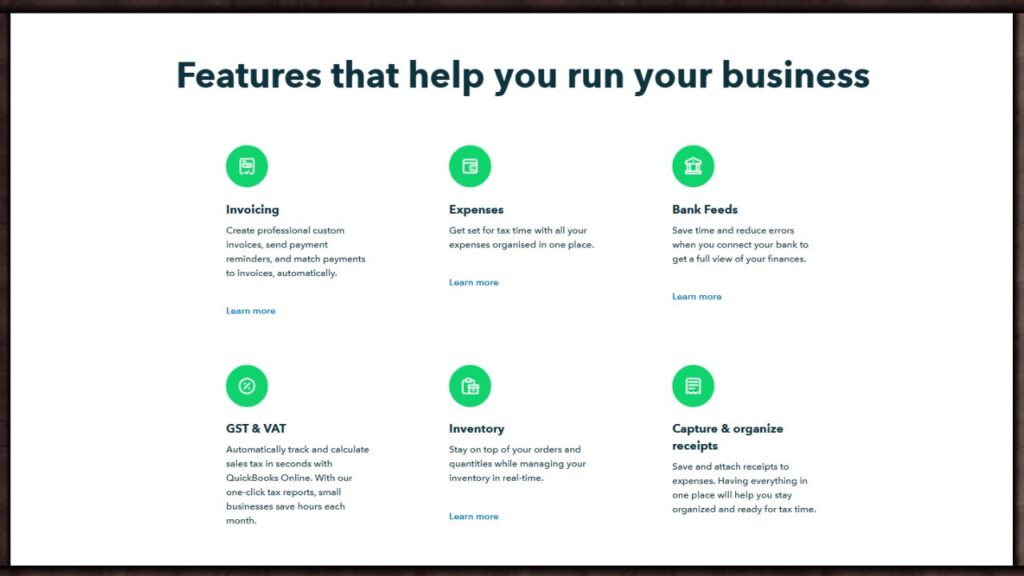
QuickBooks Online balances usability and advanced features well. Most teams can adopt it quickly while still getting a clear view of their finances. Creating invoices, tracking expenses, and pulling a profit and loss report are all straightforward enough for someone with no accounting background.
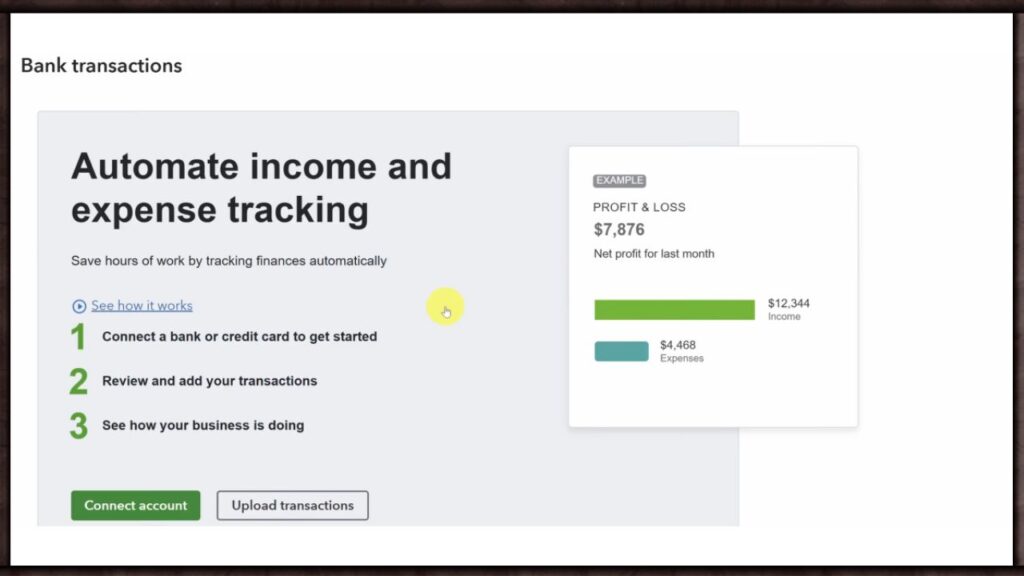
Bank feeds that sync automatically.
Connect your bank account and transactions come in automatically. QuickBooks learns how you categorize expenses and starts doing it for you over time.
One Capterra reviewer put it well: “It easily and seamlessly transfers data back and forth and has reduced or eliminated double entry. A huge time saver.”
Reporting that gives you real answers.
QuickBooks Online’s reporting is one of its greatest strengths. You can filter by customer, vendor, product, and time period. The customization options make it among the most flexible reporting in the industry. For a small business owner who wants to know where money is going, this is genuinely useful.
AI that is getting better every year.
The Intuit Intelligence layer now does more than basic categorization. Customers say they grew revenue by 18% on average with Intuit Intelligence and save 13 hours monthly on average when using it.
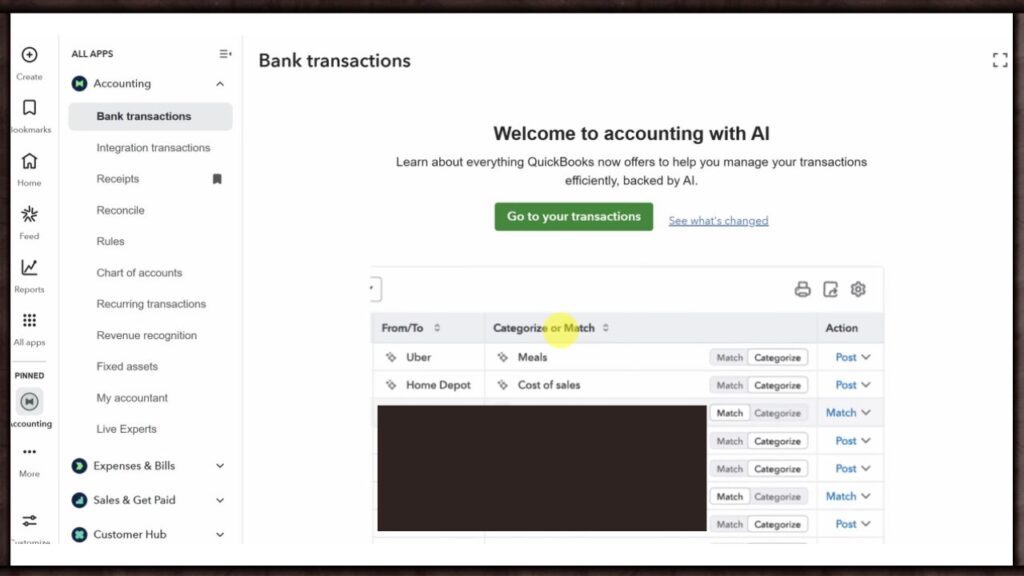
It spots transactions that need attention, cleans up books, and lets you ask plain-language questions about your finances. It is built into the workflow, not bolted on.
Your accountant already knows it.
QuickBooks Online’s leading market position means most accountants will be familiar with the software. You can invite your accountant directly into your account. They can access your books, close periods, and run reports without needing to learn a new system or ask you to send files.
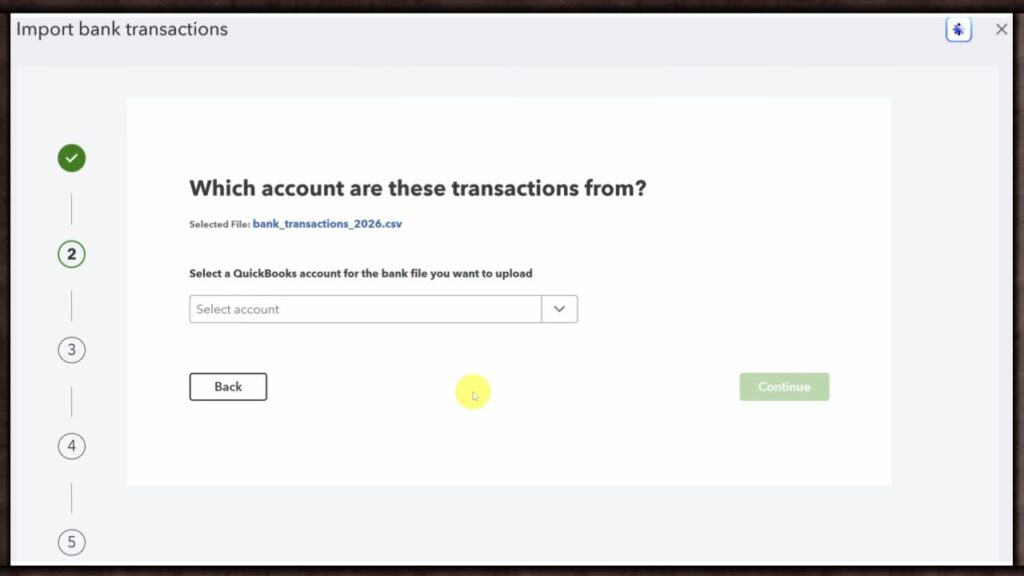
Integrations with almost everything.
QuickBooks connects with over 800 third-party apps including Shopify, PayPal, Stripe, and HubSpot. If you already use tools in your business, there is a good chance QuickBooks connects to them without any custom setup.
Where QuickBooks Falls Short
Pricing is the most consistent complaint, and it shows up across every review platform. QuickBooks Online prices tend to increase once a year, typically in the summer. The Advanced tier has seen the steepest growth, averaging 17.3% annual increases since 2023.
The median QuickBooks Online customer pays $900 per year, but there are at least four documented hidden costs beyond the list price including implementation, training, and add-on fees.
The in-app upselling is also a genuine frustration. QuickBooks gates features by plan rather than by add-on purchase.
- Need to track vendor payments? That requires Essentials at $75 per month minimum.
- Need inventory? You must be on Plus at $115 per month.
- Want custom user permissions? Advanced at $275 per month is your only option.
Customer support is another weak point backed by real data. Users say poor customer support is pushing them away. Response times can run between 30 minutes to an hour via chat or phone. Advanced plan subscribers get 24/7 support. Everyone else gets limited hours on weekdays only.
QuickBooks Online Pricing 2026
Based on our quickbooks review of all current plans, here is what you will actually pay. Following Intuit’s July 2025 price increase, QuickBooks Online now runs across five plans.
| Plan | Monthly Price | Users | Best For |
| Solopreneur | $20/month | 1 | Freelancers and gig workers |
| Simple Start | $38/month | 1 | Solo business owners needing full accounting |
| Essentials | $75/month | 3 | Growing businesses needing bill management |
| Plus | $115/month | 5 | Businesses with inventory and project tracking |
| Advanced | $275/month | 25 | Larger businesses needing automation and custom reporting |
Based on multiple quickbooks reviews from verified buyers, most small businesses land on Simple Start or Plus. You are paying for the ecosystem and accountant familiarity more than the software itself.
Hidden costs worth knowing before you sign up:
Payroll is a separate add-on. Based on our quickbooks payroll review, it starts at $45 to $75 per month as a base fee, plus $5 to $10 per employee per month. It is not included in any plan.
For quickbooks payments review, the platform charges 2.9% plus $0.25 per invoice payment and 1% for ACH transfers.
Based on quickbooks live bookkeeping reviews, the Live Bookkeeping add-on runs anywhere from $300 to $700 per month on top of your plan, depending on transaction volume.
If you take the 50% promotional discount for the first three months, you forfeit the 30-day free trial. Pick one, not both.
Lastly, adding a sixth user forces you from Plus at $115 to Advanced at $275. That is a 139% price increase for one extra seat. For me it is a bit much!
QuickBooks Vs Competitors
| Tool | Entry Price | Free Plan | Users Included | Best For | Strongest At | Weakest At |
| QuickBooks Online | $38/month (Simple Start) | No (30-day trial) | 1 to 25 depending on plan | Small businesses needing full accounting with accountant access | Integrations (800+), reporting depth, accountant familiarity | Pricing increases, customer support, forces plan upgrades for basic features |
| Xero | $25/month (Early) | No (30-day trial) | Unlimited on all plans | Teams of 3 or more who need multiple users without paying extra | Clean interface, unlimited users on every plan, multi-currency on Established | Weaker US accountant network, transaction limits on the cheapest plan, no annual billing discount |
| Zoho Books | Free (under $50K revenue) then $20/month | Yes (revenue under $50K) | 1 to 15 depending on plan | Budget-conscious small businesses, Zoho ecosystem users | Price, free plan quality, bundles with Zoho CRM and HR tools | Interface is less intuitive than QuickBooks or FreshBooks, cancellation complaints reported |
| FreshBooks | $21/month (Lite) | No (30-day trial) | 1 user per plan, extra users $11/month each | Freelancers and service-based businesses billing by time | Invoicing quality, ease of use, customer support ratings | Not suitable for product-based businesses, no inventory tracking, per-client caps force upgrades |
| Bookeeping.ai | $35/month (Start) | No (30-day free trial) | Up to 10 depending on plan | Solo operators wanting AI-first chat-based bookkeeping | Conversational AI interface, TaxChat for quick tax questions, affordable entry point | Limited compared to full accounting platforms, no multilingual support, human review still needed |
Read Full Bookeeping AI Review HERE!
QuickBooks vs Xero
Xero offers better usability. If you do not have much experience with accounting software, Xero’s simpler interface is easier to navigate. Xero also includes unlimited users on every plan, which matters for small teams. QuickBooks wins on integrations and accountant familiarity, especially in the US market.
If your accountant already works in QuickBooks, switching to Xero creates friction at tax time. If you are starting fresh, Xero is worth comparing directly before committing.
QuickBooks vs Zoho Books
Zoho Books offers a better price point, with a range of plans often less expensive than QuickBooks Online and a free option for businesses with revenue under $50,000 per year. It also bundles CRM, marketing, and HR tools in the wider Zoho suite. QuickBooks wins on accountant familiarity and integration depth.
Zoho Books wins on price. If cost is your main concern and your accountant is open to alternatives, Zoho Books is the strongest direct comparison.
QuickBooks vs FreshBooks
FreshBooks receives significantly higher ratings than QuickBooks on Trustpilot, with most positive reviews praising its customer support — the exact area where QuickBooks consistently falls short.
FreshBooks is better for service-based freelancers and consultants who bill by time. QuickBooks is stronger for businesses with inventory, multiple users, or complex reporting. If you run a simple service business and want better support, test FreshBooks first.
Who QuickBooks Is Actually For
If you are a small business owner who needs full accounting functionality, has an accountant who works in QuickBooks, and wants one platform for invoicing, expenses, bank feeds, and reporting, this is built for you.
Most quickbooks for small business reviews confirm it works well for businesses processing a steady volume of transactions monthly. The Plus plan at $115 is where most small businesses with inventory or project-based work land.
Based on the quickbooks solopreneur review data we found, the Solopreneur plan at $20 per month is a good starting point for freelancers and contractors who just need to separate business and personal expenses without needing a full chart of accounts.
For the quickbooks self employed review angle, it is worth noting that Intuit discontinued its separate Self-Employed product and now directs solo users to the Solopreneur plan instead.
Who Should Skip It
If you are a one-person business with simple finances, there are cheaper tools that cover the basics. Zoho Books has a free plan. Wave is also free for core features.
If your team has more than five people and you are not ready to pay $275 per month for Advanced, the per-seat limits will push you into a plan that does not fit your budget.
QuickBooks Online may not work well if your organization needs very complex accounting workflows, global consolidation, or more detailed permissions than the platform provides.
What I Like About QuickBooks Online
The industry standard status matters more than it sounds. When your accountant logs in for the first time, they know exactly where everything is. No explaining. No converting files.
The reporting is also genuinely strong, with filtering options that smaller tools simply do not offer at the same depth. And the integration ecosystem is hard to match. If you already use Shopify, HubSpot, or Stripe, the connection is typically a two-click setup.
What I Don’t Like About QuickBooks Online
The pricing structure forces you into higher tiers for features that feel like they should be standard. Needing the $115 Plus plan just to track inventory is a real friction point. The annual price increases are consistent and well-documented.
And the customer support situation is the one complaint that shows up everywhere, from Capterra to Trustpilot to Reddit. For what QuickBooks charges, the support experience should be better.
The One Thing That Surprised Us
Intuit is phasing out QuickBooks Desktop entirely. Desktop 2023 support ended in May 2026, and Desktop 2024 is the final version ever released. If your business or your accountant still uses QuickBooks Desktop, migration planning should start now. Waiting until you are forced to move is far more disruptive than doing it on your own timeline.
Final Take
QuickBooks Online is the most complete small business accounting platform you can buy in 2026. The intuit quickbooks review data across major platforms consistently backs that up. But go in with honest expectations about what it actually costs once payroll, payment processing, and plan upgrades are factored in.
Start with the 30-day free trial, test the features your business actually needs, and choose the right plan upfront. Upgrading later under pressure always costs more than planning ahead.
QuickBooks Online is one of three tools we recommend for AI bookkeeping and accounting. See the full breakdown in our [Best AI Tools for Small Business to Boost Productivity in 2026] guide.
Frequently Asked Questions
Is QuickBooks Online worth it for a small business in 2026?
Yes, if you need full accounting functionality and work with an accountant already familiar with the platform. Based on thousands of quickbooks online reviews, most small businesses find the value strongest at the Essentials and Plus plan levels.
How much does QuickBooks Online cost per month?
Plans run from $20 per month for Solopreneur to $275 for Advanced. Most small businesses land on Simple Start at $38 or Plus at $115, but factor in payroll and payment fees before budgeting.
Does QuickBooks Online have a free trial?
Yes, a 30-day free trial is available. Taking the trial means you give up the 50% promotional discount for the first three months. You get one or the other, not both.
Why do QuickBooks prices keep going up every year?
QuickBooks Online prices tend to increase once a year, typically in the summer, averaging 12 to 17% annually depending on the plan. Budget for this before committing long-term.
Is QuickBooks easy to use for someone with no accounting background?
The basics, invoicing, expense tracking, and bank feeds, are genuinely easy. More advanced features like journal entries and class tracking have a real learning curve for non-accountants.
Does QuickBooks Online include payroll?
No. Based on our quickbooks payroll reviews research, payroll is a separate add-on starting at around $45 to $75 per month as a base fee, plus $5 to $10 per employee. It is not included in any standard plan.
Can my accountant access my QuickBooks Online account?
Yes. You can invite your accountant with their own login. They access your books, run reports, and close periods without you sharing your personal credentials.
What is the difference between Simple Start and Plus?
Simple Start covers basic invoicing and expense tracking for one user at $38 per month. Based on the quickbooks simple start review data, it suits solo operators with no inventory. Plus adds inventory, project tracking, and five users at $115 per month.
Is QuickBooks Online better than Xero?
QuickBooks wins on integrations and accountant familiarity in the US. Xero wins on interface simplicity and includes unlimited users on every plan. The right choice depends on what your accountant already uses.
What happens when I need more than five users on the Plus plan?
Adding a sixth user forces you to upgrade from Plus at $115 to Advanced at $275. That is a 139% price increase for one extra seat. Plan for this before you hire your fifth team member.

2 Responses