

In the following Surfer SEO review 2026, you will learn if this AI content optimization tool is the right fit for your business or not. The discussion below is based on thorough research, official pricing and features, and real user experiences from verified reviews.
Quick Verdict
Surfer SEO is by far the best on-page SEO tool that we have used. It is one of the most established content optimization tools on the market, used by over 150,000 professionals across 159+ countries, including brands like FedEx, ClickUp, and Shopify.
If you’re publishing 10 or more SEO-driven articles a month and want real-time guidance on what to write to actually rank, it earns its place in your stack. If you’re writing occasionally or just need basic keyword research, you’re paying for a lot of tool you won’t use.
What Is Surfer SEO?
Surfer is a cloud-based content optimization platform. It works by analyzing the content of a page against 500+ on-page signals, like content relevance and topic coverage, then gives you data-driven recommendations to improve your content.
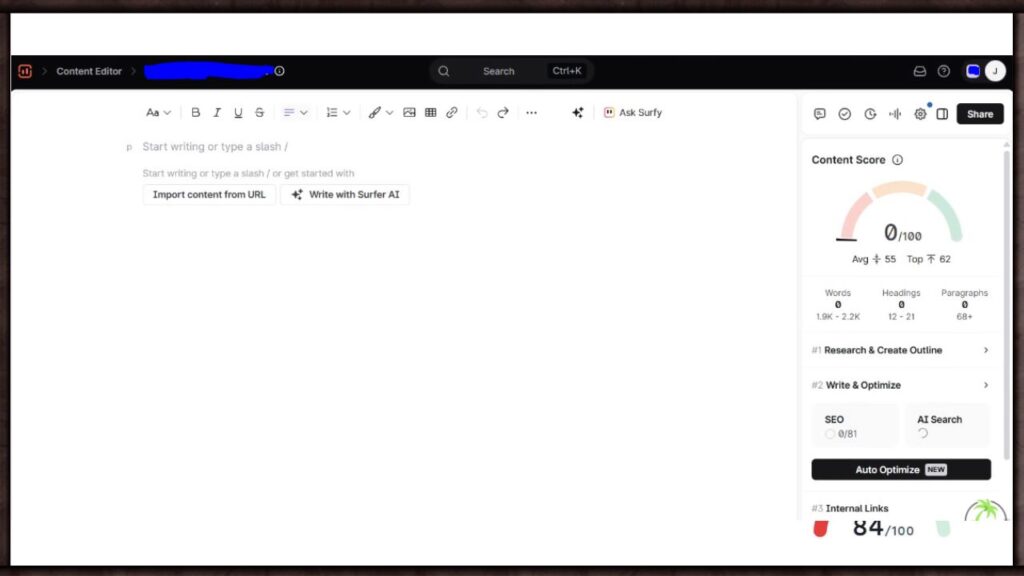
Unlike a full SEO suite, it’s built around one job, helping the article you’re writing right now match what’s already ranking on Google, and increasingly, what shows up in AI search answers too. It gives you real-time keyword suggestions which you need to use within the article.
In short, it skips the SEMrush keyword research. After the article is complete, and the score is higher than 90, you can expect to get a good amount of traffic, and better ranking on Google.
What It’s Actually Good At
Real-time content scoring while you write.
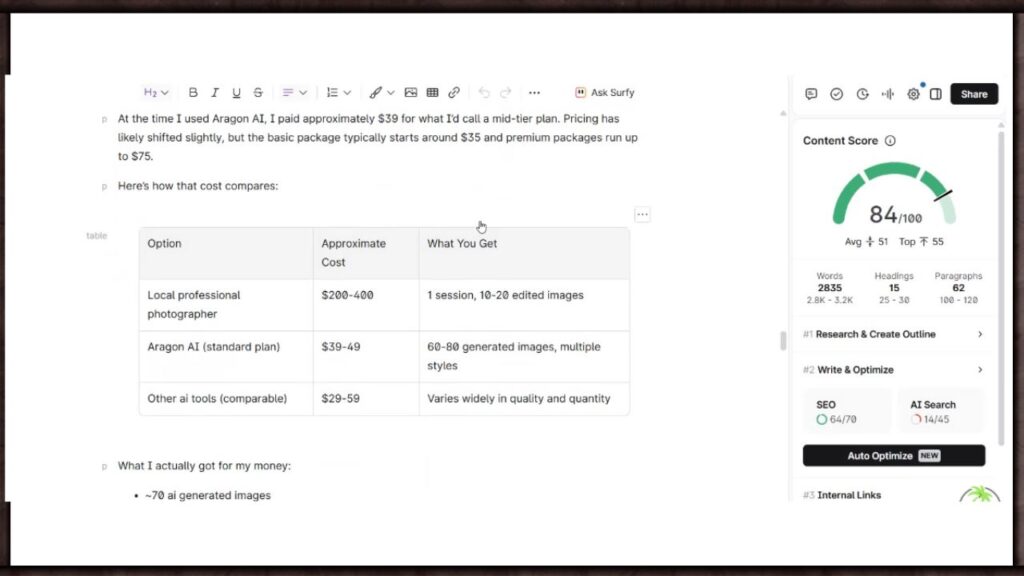
This is Surfer’s core strength and the reason most people sign up. The platform’s Content Editor provides the most actionable real-time scoring in the category, with NLP-driven keyword and entity recommendations that are specific and measurable. You see your score update live as you write, no waiting for a report after publishing.
Keyword research with built-in clustering.
You can run 100+ searches per day on the Essential plan, and the clustering feature groups related keywords into topical clusters, which helps you plan content around a theme instead of one keyword at a time.
Topical Map for planning content clusters.
This feature helps you research and plan new content clusters designed to increase your topical authority, positioning you as more of an expert in your niche. Useful if you’re building out a pillar and child post structure like this one.
A free Chrome extension you don’t even need an account for.
Their Chrome plugin is completely free and doesn’t require an account, showing search volume and keyword data directly inside Google search results. A solid way to test the waters before paying for anything.
Works inside Google Docs and WordPress.
Optimizing directly inside Google Docs is a genuine workflow advantage for teams already writing there, and the WordPress integration means you’re not copy-pasting between five tabs.
Where It Falls Short
Surfer is not a full SEO suite, and it doesn’t pretend to be. Compared to all-in-one platforms like SEMrush or Ahrefs, Surfer offers deeper on-page content features but lacks breadth in backlink analysis and technical SEO. If keyword research is your main need, Surfer’s keyword tool tells you monthly search volume, difficulty, and intent, but lacks filters like “Questions” or “Competitive Density” that tools like SEMrush’s Keyword Magic Tool offer.
The AI writing feature also needs work. The Essential plan includes only 5 AI articles a month, the Scale plan includes 20, and beyond that each AI article costs $29. One Capterra reviewer summed up a common complaint directly: Surfer AI’s research capabilities feel underdeveloped, often delivering questionable information that requires correction, and any attempt to humanize the AI output tends to undo the optimization work it just did.
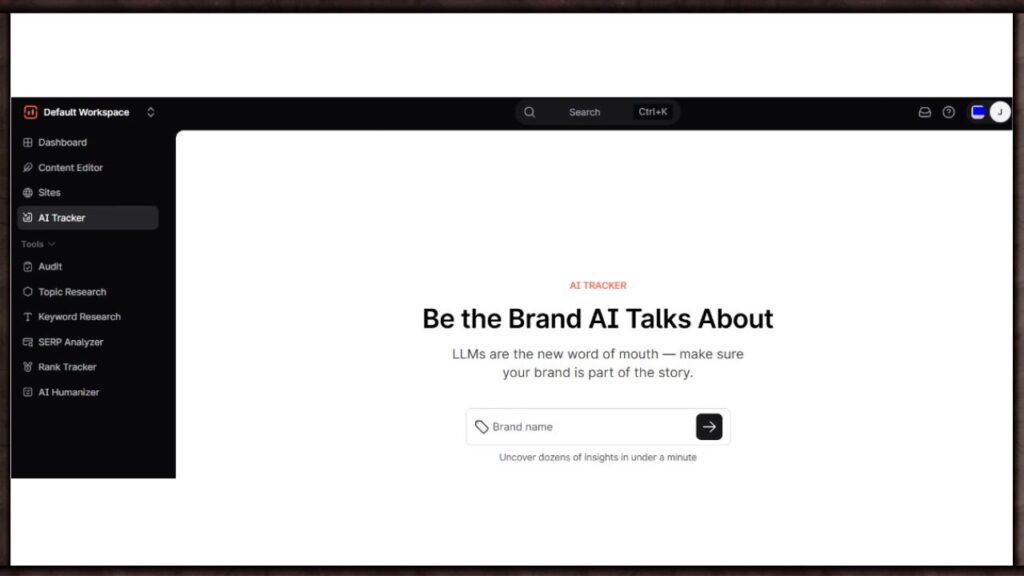
Pricing can also creep up fast once you add the extras. Surfer AI articles cost $29 each beyond your included credits, the SERP Analyzer is a $29/month add-on on the Essential plan, and the AI Tracker for brand visibility monitoring costs an additional $95/month, which can push your real monthly cost well past the advertised plan price.
Surfer SEO Pricing Plans 2026
| Plan | Monthly Price | Annual Price (per month) | Content Editor Credits | AI Articles Included | Best For |
| Essential | $99/month | $79/month | 30/month | 5/month | Freelancers, solo bloggers, small teams |
| Scale | $219/month | $175/month | 100/month | 20/month | Growing content teams, agencies |
| Enterprise | Custom (from $999/month) | Custom | Custom | Custom | Large organizations, agencies needing white-label |
Annual billing saves you roughly 20% compared to paying monthly. Worth knowing before you commit: Surfer no longer offers a free trial, but does offer a 7-day money-back guarantee instead. Payment methods accepted are credit and debit cards, plus bank transfers for yearly plans only, with no PayPal support at this time.
Surfer SEO vs Competitors
| Tool | Entry Price | Best For | Strongest At | Weakest At |
| Surfer SEO | $99/month ($79/month annual) | Content writers optimizing for rankings | Real-time content scoring while writing | Keyword research depth, no free trial |
| SEMrush | $139.95/month ($117.33/month annual) | Full SEO strategy, not just content | All-in-one suite: audits, backlinks, keywords, content | Pro plan only includes 1 seat, extra users cost $45/month each |
| Ahrefs | $29/month Starter, $129/month Lite | Backlink research and competitor analysis | Backlink data refresh in 15-30 minutes, fastest in the industry | No free trial offered as of 2026, weak content optimization |
| Clearscope | $129/month Essentials | Teams prioritizing editorial polish over volume | Unlimited seats on every plan, semantic term quality | 17.5% ranking correlation vs Surfer’s 26%, no rank tracking or API |
Surfer SEO vs SEMrush — Which One Should You Use?
This comes down to what job you actually need done. SEMrush is a full SEO suite, covering keyword research, site audits, backlink analysis, and competitor research alongside content tools. Surfer does one thing, on-page content optimization, and does it with more depth than SEMrush’s content tools offer. If you already run SEMrush for your broader SEO strategy and just need sharper, real-time guidance while actually writing the article, Surfer is the better add-on, not a replacement. If you’re choosing one tool to cover everything from technical audits to content, SEMrush is the more complete pick.
Read Full & Latest SEMrush Review HERE!
Surfer SEO vs Ahrefs — Which One Should You Use?
Ahrefs has a strong reputation as a great SEO tool for websites of any size, and their Site Explorer is excellent for analyzing existing pages, but Surfer is better suited for creating new ones. Overall, Surfer is the stronger choice for the content and optimization side of SEO, since the content editor actively guides you while you write, instead of Ahrefs where you publish first and wait to see the results. Users running both should expect Ahrefs to be the pricier of the two for backlink-heavy work, with Surfer staying the more affordable option for pure content optimization.
Surfer SEO vs Clearscope — The Closest Comparison
These two tools do almost the exact same job, so the comparison actually matters. Clearscope gives you 50 keyword searches a month for $189/month, while Surfer’s Essential plan gives you 100 keyword searches a day for $99/month, making Surfer the clearly better value on paper. Where Clearscope pulls ahead is interface simplicity. One detailed comparison found Clearscope’s correlation with rankings sits around 17.5% against Surfer’s 26%, but emphasized that neither score guarantees rankings on its own. Real users back this up too: multiple Capterra reviewers specifically said they chose Surfer because it’s more affordable than Clearscope.
Surfer SEO Alternatives Worth Knowing About
If Surfer doesn’t quite fit, here’s where to look next. For a tighter budget, NeuronWriter runs around $23/month. For an all-in-one SEO suite, SEMrush starts around $139/month. For question-based content research specifically, Frase starts at $15/month. SE Ranking is also worth a look if you’re currently paying for Surfer plus a separate rank tracker plus a separate keyword tool, since it bundles all three into one platform at a lower combined cost.
How to Use Surfer SEO — A Quick Walkthrough
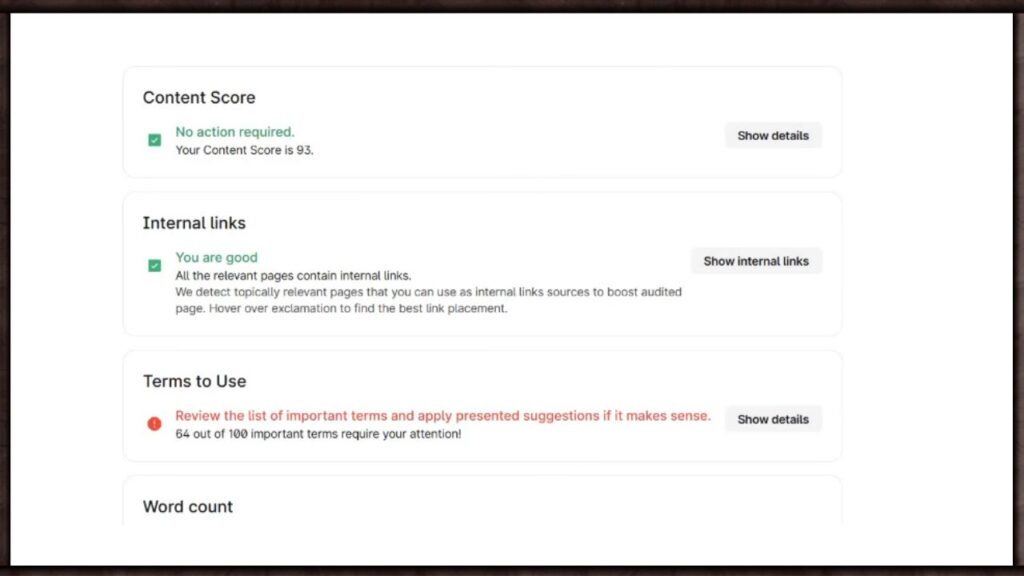
Getting started is fairly straightforward. You enter your target keyword, and the SERP Analyzer fetches a detailed breakdown of the top-ranking pages for that keyword, including average word count and structure. From there you open the Content Editor, which shows your live content score and tells you which terms, headings, and word counts to hit as you write.
Most teams report no steep learning curve here, with writers picking up the basics within minutes. For ongoing content planning, the Topical Map and Content Audit tools sit in the same dashboard, so you’re not bouncing between separate logins.
Who This Tool Is Actually For
If you or your team are publishing content regularly, 10 or more pieces a month, and SEO performance is the whole point of that content, Surfer fits well. It’s also a strong pick if you’re already producing content with a tool like Jasper or ChatGPT and need a second pass to make sure that content is actually structured to rank, since Surfer integrates directly with Jasper, making it easy to optimize AI-generated drafts before publishing.
Who Should Skip It
If you’re publishing once or twice a month, the Essential plan at $99/month is hard to justify against tools like Frase at a fraction of the price. And if keyword research is your primary need rather than content scoring, most SEO professionals still rely on Ahrefs or Semrush as their primary keyword tool and treat Surfer’s research as supplementary at best.
What I Like About Surfer SEO
I like that the Content Editor genuinely changes how you write, not just what you write. Getting live feedback on structure and keyword usage as you go, instead of a report after the fact, actually changes your workflow for the better. The free Chrome extension is also a nice touch, it gives you real value with zero commitment before you even consider paying. And compared to Clearscope specifically, the value math is hard to argue with, more searches, more features, lower price.
What I Don’t Like About Surfer SEO
I don’t like how quickly the add-ons stack up. The base plan price looks reasonable until you need the SERP Analyzer, more AI articles, or the AI Tracker, and suddenly you’re paying well above the advertised number. The AI writing feature also isn’t there yet, multiple reviewers flagged factual errors and said the output still needs heavy editing before it’s publishable.
And the lack of a free trial, replaced with just a money-back guarantee, makes it a slightly bigger leap of faith to commit to than tools that let you test drive first.
The One Thing That Surprised Us
Surfer integrates directly with Jasper, which means the two tools we’ve already reviewed on this site are actually designed to work together. Write your draft in Jasper using its brand voice training, then run it through Surfer’s Content Editor to tighten the structure and keyword usage before you hit publish. If you’re already using both, you’re not duplicating effort, you’re stacking two specialists doing two different jobs well.
Still, even with Jasper you need to perform the final edits yourself. Your own tone, your word flow, and thought process must be visible in your final draft.
Final Take
Surfer SEO does one job, and it does that job better than most of its competitors, especially against Clearscope on pure value. It’s not a replacement for a full SEO suite, and the add-on costs need watching closely once you go beyond the basics.
But for a small business producing real content volume and serious about ranking, the Content Editor alone justifies the subscription. Start with the Essential plan, track your actual usage for a month, and upgrade only once you’re consistently hitting your credit limit.
One thing though, it gives you a limited number of articles that your can built in the content editor. So, use them wisely as per your package. Don’t try to use a premium spot for experimentations or learning purposes. If you want to learn, just watch a tutorial, or start with a real blog post, and learn as you write it. And if you need an expert to do it the right way, you can always hire an SEO content writer.
Surfer SEO is one of three tools we recommend for AI content and SEO. See the full breakdown of categories in our [Best AI Tools for Small Business to Boost Productivity in 2026] guide.
Read full & Latest Jasper AI Review HERE!
Frequently Asked Questions
Is Surfer SEO worth it for a small business?
Yes, if you’re publishing 10 or more optimized articles a month and content is core to your growth strategy. For occasional publishing, cheaper tools cover most of the same ground.
Does Surfer SEO have a free trial?
No, Surfer no longer offers a free trial. Instead it offers a 7-day money-back guarantee, so you can get a refund if it’s not the right fit.
How much does Surfer SEO pricing cost per month?
The Essential plan starts at $99/month, or $79/month billed annually. The Scale plan starts at $219/month, or $175/month billed annually.
Is Surfer SEO better than SEMrush?
They solve different problems. SEMrush is a full SEO suite covering audits, backlinks, and research. Surfer focuses purely on content optimization and does that one job with more depth.
Is Surfer SEO better than Ahrefs?
For content creation and on-page optimization, yes. For backlink analysis and technical SEO depth, Ahrefs is the stronger tool. Many teams use both for different purposes.
What’s the difference between Surfer SEO and Clearscope?
Surfer offers more searches and more features at a lower price than Clearscope. Clearscope has a simpler interface and a cleaner letter-grade scoring system that some users prefer.
Does Surfer SEO have a free Chrome extension?
Yes, the Keyword Surfer Chrome extension is completely free and doesn’t require an account. It shows search volume and keyword data right inside Google search results.
How do I use Surfer SEO to optimize content?
Enter your target keyword, let the SERP Analyzer pull data on top-ranking pages, then open the Content Editor for live scoring and keyword guidance as you write.
What are the best Surfer SEO alternatives?
NeuronWriter for budget-conscious users, SEMrush for an all-in-one suite, and Frase for question-based content research are the most commonly recommended alternatives.
Can Surfer SEO and Jasper be used together?
Yes, the two integrate directly. Write your draft in Jasper using its brand voice tools, then run it through Surfer’s Content Editor to optimize the structure and keywords before publishing.




2 Responses